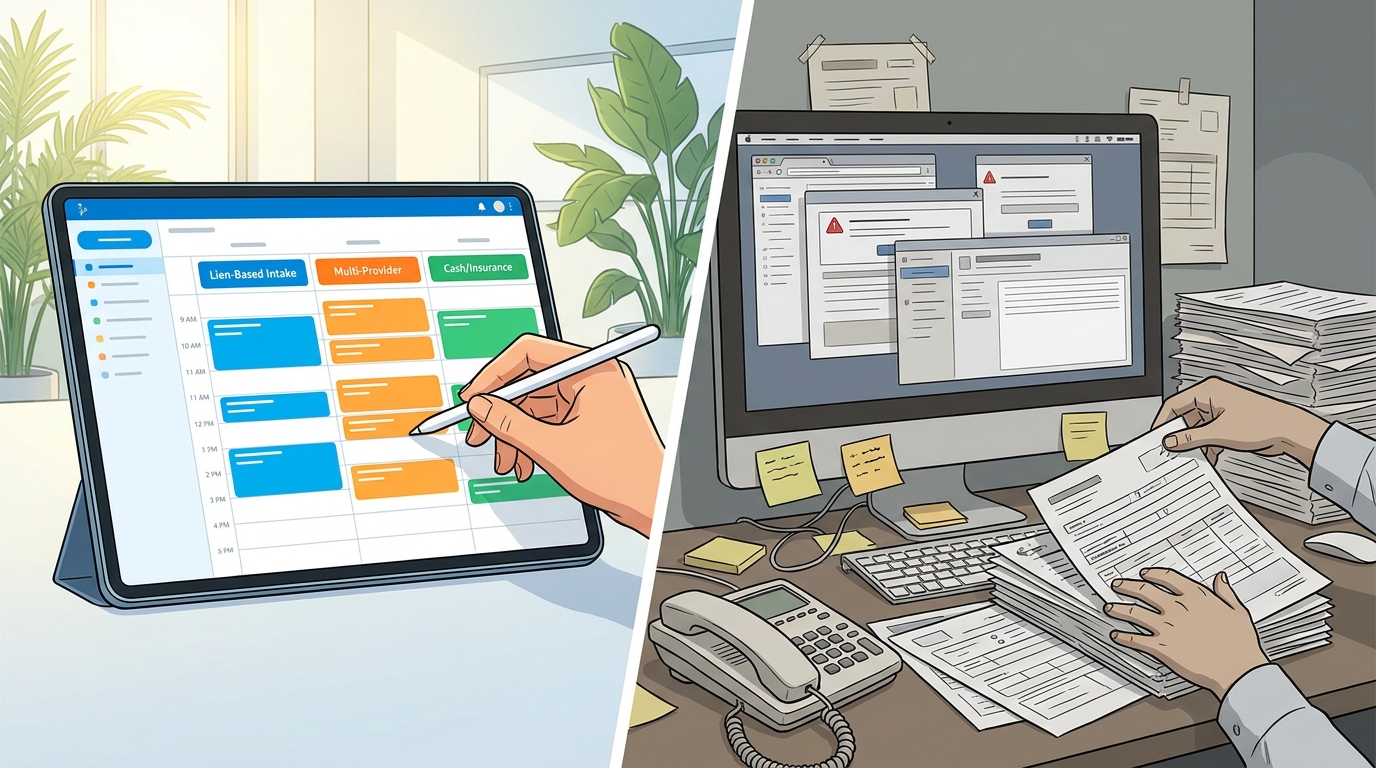
Most chiropractic and PI-focused practices lose 8–12 staff-hours per week to scheduling friction that their EHR was supposed to eliminate. Medximity EHR was built specifically for the workflows traditional EHR scheduling tools ignore — lien-based intake, multi-provider coordination, mixed billing types on the same day, and after-hours appointment requests that actually reach the right calendar. If your front desk is still toggling between tabs, calling patients to confirm, or manually routing letter-of-protection paperwork, the problem is your system, not your staff.
Why Scheduling Breaks Down in Chiropractic and PI-Focused Practices
General-purpose EHR scheduling was designed for single-provider primary care offices seeing 15–20 patients a day. A busy chiropractic practice sees 30–60. A PI-focused practice adds attorney coordination, lien documentation, and insurance verification layers that generic calendars simply do not account for.
The breakdown usually hits three points simultaneously:
- Intake bottlenecks — new PI patients require 2–3x the paperwork of a standard wellness visit, and that paperwork has to reach the right hands before the patient walks in
- Appointment type confusion — cash-pay visits, insurance-billed visits, re-exams, and attorney-requested evaluations all have different time blocks, billing codes, and documentation requirements
- Multi-provider routing — practices with associate doctors, PTs, or massage therapists on staff need scheduling logic that assigns the right provider to the right visit type without manual intervention
When your scheduling system cannot distinguish between a 10-minute adjustment and a 45-minute PI initial evaluation, your entire day stacks wrong. That is why chiropractic EHR scheduling systems fail busy practices — they treat every appointment as identical.
The Problem With Traditional EHR Scheduling Tools
Traditional EHR scheduling modules were bolted onto charting systems as an afterthought. They handle date-and-time slot assignment. That is the beginning and end of their capability.
What They Typically Miss
- No appointment-type-specific intake triggers — a new PI patient gets the same workflow as a returning wellness patient
- No built-in lien or letter-of-protection tracking tied to the scheduling event
- No automated insurance eligibility checks at the moment of booking
- No differentiation between provider skill sets when assigning appointments across locations
- No after-hours booking capability — patients who call at 7 PM leave a voicemail that may or may not get returned the next day
The Real Cost
A practice averaging 40 patient visits per day with a 12% no-show rate and a 15-minute average front-desk handling time per new-patient intake loses roughly 10 hours of staff productivity per week to scheduling-related tasks that should be automated. Over a year, that is more than 500 hours — the equivalent of hiring a part-time employee whose only job is compensating for your software's limitations.
Practices dealing with complex conditions like chronic inflammation or multi-system complaints already face longer visit times. The scheduling system should absorb complexity, not add to it.
How Does Medximity EHR Handle Lien-Based and Letter-of-Protection Patient Intake?
This is where Medximity EHR diverges from every generic EHR on the market. When a PI patient books — whether online, by phone, or through an attorney referral — the system triggers a lien-specific intake workflow automatically.
- Appointment is flagged as PI/LOP at booking — the front desk selects the visit type, or the online form captures it
- Lien and LOP document packets are generated and sent — the patient receives the correct forms digitally before arriving, not a generic health history form
- Attorney and insurance contacts are captured in the scheduling record — no separate spreadsheet, no sticky notes
- Insurance verification triggers automatically — for cases with active coverage, eligibility is checked before the visit
- The provider's schedule allocates the correct time block — PI initials get 45 minutes, not the default 15-minute slot
For practices that manage letter-of-protection patient intake as a core part of their chiropractic practice management, this single workflow eliminates 3–4 manual steps per new PI patient. At 10 new PI patients per month, that is 30–40 fewer manual tasks your front desk has to remember.
Multi-Provider and Multi-Location Scheduling Without the Coordination Headaches
The best EHR for multi-location chiropractic practice scheduling has to solve one specific problem: making sure the right patient sees the right provider at the right location without a phone call between offices.
Medximity EHR handles this with provider-specific availability rules layered on top of location-specific calendars. Each provider's schedule reflects:
- Which locations they work at on which days
- Which appointment types they accept (e.g., Dr. A handles PI cases, Dr. B handles wellness only)
- Their individual time-block preferences per visit type
- Blocked time for documentation, lunch, or staff meetings — visible across all locations
When a patient books online or the front desk adds an appointment, the system only shows available slots that match the visit type, provider qualifications, and location. No double-booking across sites. No calling the other office to check if Dr. A is there on Thursdays.
Practices managing care for conditions that require consistent provider continuity — like patients undergoing postural correction programs or those dealing with posture-related complaints — benefit from scheduling logic that keeps the patient-provider relationship intact across visits.
Automated Intake: Pre-Visit Forms, Insurance Verification, and Packet Delivery Built Into Scheduling
A chiropractic EHR with automated patient intake forms does not just save time — it changes when work happens. Instead of the front desk spending 12 minutes per new patient processing paperwork at check-in, the patient arrives with forms completed, insurance verified, and the provider's schedule already adjusted for the visit type.
Medximity EHR's automation chain works like this:
- Patient books appointment (online, phone, or referral entry)
- System identifies appointment type and triggers the matching intake packet
- Patient receives digital forms via text or email — health history, consent, condition-specific questionnaires
- Insurance eligibility check runs in the background
- Completed forms populate the patient's chart before they arrive
- Front desk sees a dashboard showing which patients have completed intake and which need follow-up
This applies to every visit type. A patient coming in for retracing-related symptoms during an active care plan gets a different pre-visit form than a new PI patient or a cash-pay wellness visit.
How Do You Schedule Cash-Pay and Insurance-Billed Appointments in the Same Day?
Practices that accept both cash-pay and insurance patients face a scheduling problem most EHRs pretend does not exist: these appointments have different time requirements, different documentation needs, and different billing workflows — but they sit on the same calendar.
Medximity EHR uses appointment-type color coding and billing-path flags so the schedule is visually and functionally differentiated:
- Cash-pay visits — shorter documentation, payment collected at time of service, no claim submission triggered
- Insurance visits — eligibility verified pre-visit, documentation templates match payer requirements, claim auto-queued post-visit
- PI/LOP visits — lien documentation attached, attorney billing routed separately, time blocks extended for narrative notes
Your front desk sees one unified schedule. Your billing workflow sees three distinct paths. The patient notices nothing except that check-in takes 2 minutes instead of 10.
After-Hours Requests, Automated Reminders, and Confirmation Workflows
Roughly 34% of online appointment requests come in outside business hours. Chiropractic software with after-hours appointment requests captures those patients instead of losing them to the practice down the street that has a booking button on their website.
Medximity EHR's reminder and confirmation system runs on a three-touch sequence:
- 48 hours before — automated text/email reminder with confirmation button
- 24 hours before — second reminder to unconfirmed patients only
- 2 hours before — final reminder with office address and check-in instructions
Practices using automated appointment reminders for chiropractic patients typically see no-show rates drop from 12–18% to 4–7% within 60 days of implementation.
Unconfirmed appointments get flagged on the front-desk dashboard. Staff can fill those slots from a waitlist or reach out directly — but the system did the first two rounds of outreach without anyone picking up a phone.
What Front-Desk Staff Actually Experience: Real Workflow Scenarios
Scenario 1: New PI Patient Books Online at 8 PM
Patient submits a request through the practice website. Medximity EHR identifies the visit type as PI initial, sends the lien intake packet immediately, runs an insurance eligibility check, and places the appointment on the correct provider's calendar with a 45-minute block. By 8:05 PM, the patient has their forms. By 8 AM the next morning, the front desk sees a confirmed appointment with completed intake — zero phone calls made.
Scenario 2: Returning Patient Needs to Reschedule Across Locations
Patient calls to move their Thursday adjustment from Location A to Location B. The front desk pulls up the schedule, sees Dr. C is available at Location B on Thursday at 3 PM, confirms the appointment type matches, and moves it. Total time: 90 seconds. No calling the other office.
This is how to reduce front desk scheduling errors in a chiropractic office — remove the manual steps where errors happen.
Medximity EHR vs Traditional EHR: Side-by-Side Feature Comparison
Feature Traditional EHR Scheduling Medximity EHR PI/LOP-specific intake triggers Not available Automatic per appointment type Multi-provider, multi-location calendars Separate systems or manual sync Unified with provider-specific rules Automated insurance verification at booking Manual or separate tool Built into scheduling workflow After-hours online booking Rarely available 24/7 with intake automation Automated reminder sequences Basic single reminder 3-touch text/email with confirmation tracking Cash-pay vs insurance appointment differentiation Manual billing path selection Auto-flagged by appointment type Pre-visit digital intake forms Separate system (if at all) Triggered automatically at booking Attorney/lien contact tracking External spreadsheet Embedded in patient scheduling record Waitlist management Manual list Automated slot-fill from waitlistWhen comparing EHR scheduling software vs traditional chiropractic systems, the gap is widest in practices that handle PI cases, multiple providers, or mixed billing — exactly the practices where scheduling complexity is highest.
Is Medximity EHR the Right Fit for Your Practice?
Medximity EHR is purpose-built for practices where scheduling is more than date-and-time assignment. If your practice matches two or more of these criteria, the platform addresses your core friction points:
- You handle PI, auto-accident, or letter-of-protection cases regularly
- You operate with 2+ providers or across multiple locations
- You see both cash-pay and insurance patients on the same daily schedule
- Your front desk spends more than 5 minutes per new patient on intake paperwork at check-in
- Your no-show rate exceeds 10%
For solo wellness-only practices seeing 15 patients a day with no PI caseload, a simpler system may suffice. For everyone else — especially those managing the documentation and coordination demands of personal injury chiropractic — Medximity EHR removes the operational bottlenecks that generic EHRs create.
Providers offering care across multiple specialties, from stress management protocols to respiratory-related chiropractic care, need scheduling that adapts to visit complexity rather than forcing every appointment into the same slot.
What to Do Next
If your current scheduling system is costing your front desk more time than it saves, start with a specific assessment:
- Track front-desk time per new patient intake for one week — if it averages more than 8 minutes, your intake automation is insufficient
- Calculate your no-show rate over the last 90 days — if it exceeds 8%, your reminder system needs upgrading
- Count how many tabs, tools, or spreadsheets your staff uses alongside the EHR calendar — each one represents a gap your scheduling system should fill
Once you have those numbers, find a provider near you already using Medximity EHR and ask about their experience. You can also browse providers on Medximity to see how practices in your area are structuring their profiles and patient access.
The right scheduling system does not just organize your day. It eliminates the 500+ hours per year your staff currently spends compensating for the wrong one.